> For the complete documentation index, see [llms.txt](https://docs.frase.io/llms.txt). Markdown versions of documentation pages are available by appending `.md` to page URLs; this page is available as [Markdown](https://docs.frase.io/core-workflows/content-clusters.md).
# Content Clusters
Build topical authority and improve your site's visitor experience with Clusters to organize related content around key themes.
{% hint style="success" %}
**Working in Claude, ChatGPT, Cursor, or another MCP client?** You can have [Frase's MCP](/automations/automate-with-frase-mcp.md) map a cluster, spot the gaps, and lay out the missing pieces (pillar first) without opening the visual map yourself. To also find pages that compete for the same searches (keyword cannibalization), try this once your [site audit](/get-started/run-your-first-audit.md) has finished:
*"Map my topic clusters for \[your-domain.com] and show me which pages overlap or compete for the same searches."*
{% endhint %}
## **Why Clusters Improve Rankings**
{% stepper %}
{% step %}
### Build Topical Authority
Search engines reward depth. When multiple related pages cover different angles of the same subject, it signals expertise.
Clusters help search engines understand:
* What your site is about
* Which topics you specialize in
* How your content connects
{% endstep %}
{% step %}
### Strengthen Internal Linking
Clusters create natural internal linking opportunities between related content. This:
* Passes authority between pages
* Helps search engines crawl more effectively
* Improves user navigation
{% endstep %}
{% step %}
### Improve Content Planning
Clusters give structure to your [content calendar](/automations/content-calendar.md). Instead of asking “What should we write next?”, you expand strategically within an existing topic.
{% endstep %}
{% step %}
### Track Performance by Theme
With Clusters, you can [measure performance](/feature-reference/seo-analytics.md) at the topic level — not just by individual articles.
This helps you identify:
* Which themes drive traffic
* Which topics convert
* Where to invest next
{% endstep %}
{% endstepper %}
## **How Clusters Work in Frase**
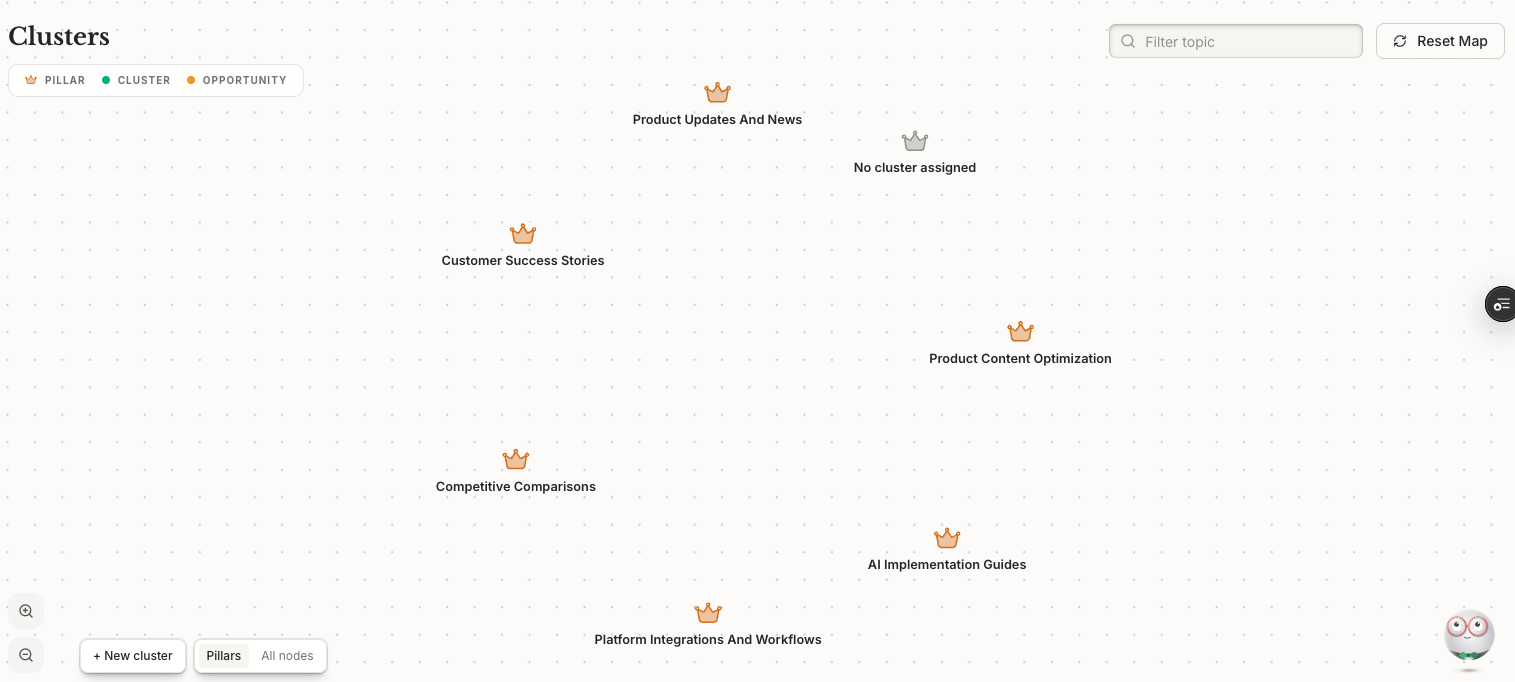
Frase automatically groups your site content into topical clusters and surfaces them as a **visual map** on the [Opportunities](/feature-reference/content-opportunities.md) page that shows:
* **Existing pages** — content you've already published that belongs to a cluster
* **Opportunities** — related topics you haven't covered yet
* **Content gaps** — areas where your cluster is thin and needs depth
From the map, you can take action directly on any node. The actions available depend on the type of content you're looking at:
* **Optimize** — improve an existing page's SEO
* **Edit** — open and update the content directly
* **Create new** — start a new article to fill a gap in the cluster
### Before You Start
Clusters pull from your connected data sources. To get the most out of the feature, make sure you have the following set up before diving in:
* [**Site audit**](/get-started/run-your-first-audit.md) — so Frase can analyze your existing content
* [**Google Search Console**](/integrations/connectors/google-search-console.md) **connection** — so Frase can factor in real search performance data
* [**CMS connection** ](/integrations/cms-publishing/frase-cms.md)— so your content is accessible and actionable in Frase
{% hint style="info" %}
**The more data you connect, the better your clusters.** Frase builds clusters from the data sources you've set up. Richer data means more accurate groupings and more relevant opportunities surfaced.
{% endhint %}
## How to Build Clusters
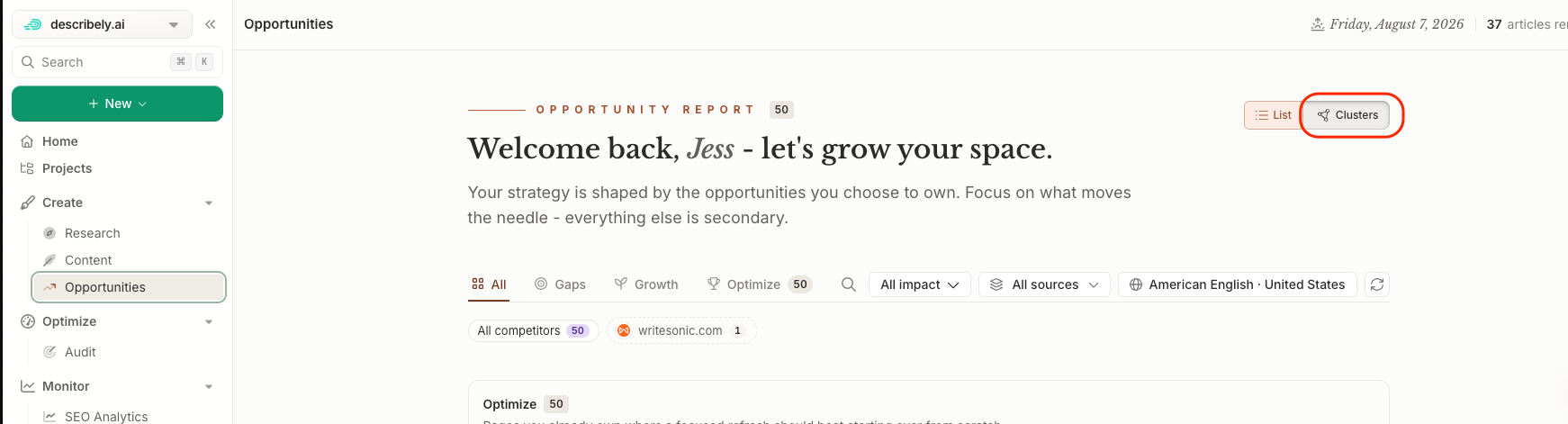
To access Clusters, head to the left sidebar and click **Plan & Create > Opportunities**. Then, select the **Clusters** toggle on the top right.
{% stepper %}
{% step %}
### Choose 2–3 Core Topics
Start with your most important business areas.
{% endstep %}
{% step %}
### Create a Pillar Page
Develop a comprehensive guide that broadly covers the topic. This will act as the central hub of the cluster.
{% endstep %}
{% step %}
### Add Supporting Content
Each cluster should include **5–8 pieces of content** to be effective. These articles should:
* Target specific subtopics
* Answer related questions
* Link back to the pillar page
* Link to other supporting articles when relevant
{% endstep %}
{% step %}
### Use the Visual Map to Find Gaps
Once your cluster is set up, check the visual map regularly to:
* Look for opportunity and gap nodes — these are your next content priorities
* Create new articles directly from the map to keep everything connected
{% endstep %}
{% step %}
### Expand Strategically
Once a cluster is established, continue building depth within that theme before jumping to unrelated topics. Over time, you'll develop multiple high-authority clusters across your site.
{% endstep %}
{% endstepper %}
### Finish a Cluster in One Move
When a cluster has gaps, you don't have to plan each piece by hand. From the Clusters view, use **Finish this cluster** and Frase lays out the whole cluster, pillar first, and lists every proposed piece by name so you can see the full plan before you commit.
You can also accept recommendations in bulk. From **Plan & Create > Opportunities**, select several recommendations and add them straight onto dated slots.
## **Example**
If you need inspiration, here is an example Cluster for a marketing website.
**Cluster Topic:** Email Marketing
* Pillar Page: Complete Guide to Email Marketing
* Supporting Articles:
* Email Automation Strategies
* How to Grow an Email List
* Email Subject Line Best Practices
* Email Segmentation Explained
* Email Marketing Tools Compared
---
# Agent Instructions
This documentation is published with GitBook. GitBook is the documentation platform designed so that both humans and AI agents can read, navigate, and reason over technical content effectively. Learn more at gitbook.com.
## Querying This Documentation
If you need additional information that is not directly available in this page, you can query the documentation by asking a question.
Perform an HTTP GET request on the following URL with the `ask` and `goal` query parameters:
```
GET https://docs.frase.io/core-workflows/content-clusters.md?ask=&goal=
```
`ask` is the immediate question: it should be specific, self-contained, and written in natural language.
`goal` is what the user is ultimately trying to achieve, the reason they need the answer. Sharing it helps GitBook give you a better, more relevant answer. A goal is most helpful when it describes the outcome the user wants rather than restating the question. For example, with `ask=how do I create an API token`, a goal like `automate deployments from our CI pipeline` lets GitBook tailor the answer to that use case.
The response will contain a direct answer to the question and relevant excerpts and sources from the documentation.
Use this mechanism when the answer is not explicitly present in the current page, you need clarification or additional context, or you want to retrieve related documentation sections.